Use the Buffer tools to find and select objects within a certain distance of an object, pipeline, or point on the map.
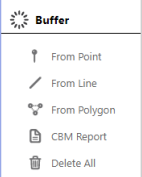
From PointClick to find and select all objects within |
CBM ReportClick to create a well CBM report from |
From LineClick to find and select all objects within |
Delete AllClick to delete all Buffers from the current map |
From PolygonClick to find and select all objects within |
 Tip:
Tip:
Once you've made a selection using the From Point, From Line, or From Polygon tool, refer to Select Report to view or export object data.
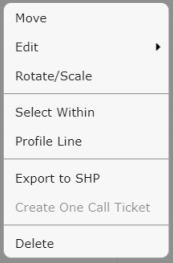
Right click a Buffer to modify it, select the objects within the Buffer (Select Within), or view the Profile Line of the Buffer: