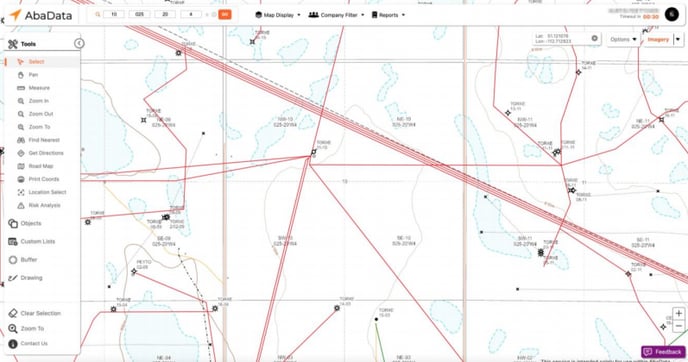
Adjusts the map image for Aerial, Satellite, and Topographical view
In the top-right corner of the map, you’ll find the Imagery menu. Refer to the table below for explanations.
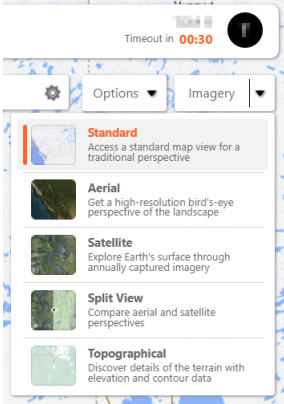
|
Standard - The standard view is displayed by default each time you log in. |
Split View - Display a split view of aerial and satellite imagery |
| Aerial - Click to display aerial imagery | Topographical - Click to display topographical imagery. |
| Satellite - Click to display satellite imagery from a specific year |
Aerial Imagery
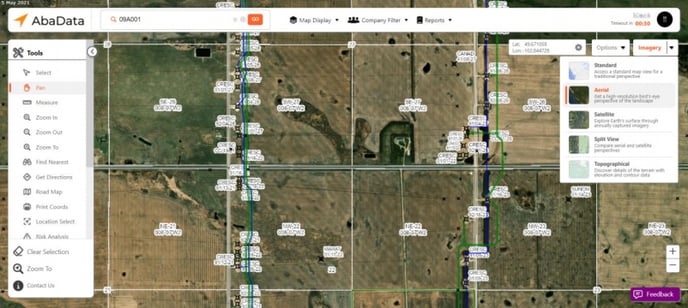
Aerial imagery is available for all Canadian Provinces. Aerial imagery is a helpful tool for viewing the details of a site that may not otherwise be displayed.
To view aerial imagery on the map, select Aerial from the Imagery menu. As you zoom in, higher-resolution imagery will be loaded.
 Note:
Note:
The aerial images are the most recent images available from Bing and may not reflect the current landscape. The date the image was taken is displayed in the top-left corner.
Satellite Imagery
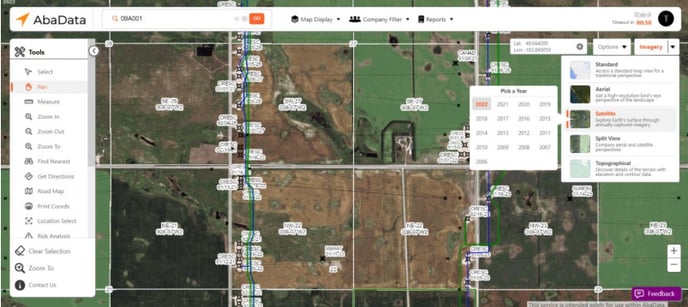
Satellite imagery is available for eastern British Columbia, Alberta, southern Saskatchewan, and southern Manitoba. Satellite imagery is a helpful tool for viewing the historical changes to a location.
To view satellite imagery on the map, select Satellite from the Imagery menu and then select a year. As you zoom in, higher-resolution imagery will be loaded, however, satellite imagery is generally not as high-resolution as aerial imagery.
Note:
Satellite imagery older than 2013 will be displayed in black and white
 Tip:
Tip:
The year the image was taken is displayed in the top-left corner.
Topographical Imagery
Topographical imagery is available for all Canadian Provinces and displays a detailed and accurate graphical representation of cultural and natural features on the map.
To view topographical imagery on the map, select Topographical from the Imagery menu. As you zoom out, the topographical imagery will switch to the less detailed 1:25000 scale map.