
View Roads, Counties, and Grid Lines
The Terrain layer is preselected by default. Click to edit the default selections and view additional terrain features and County Maps
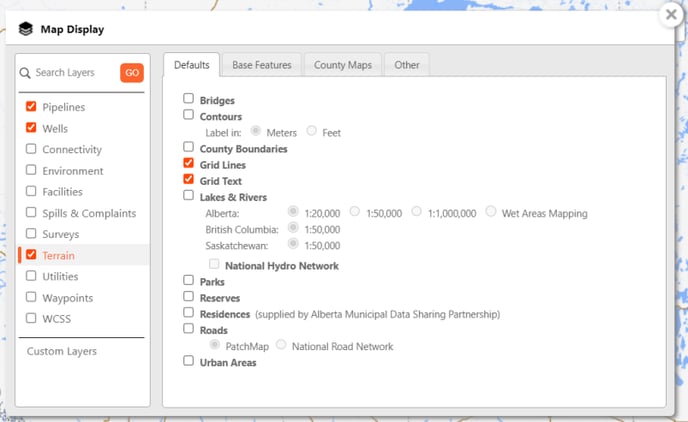
Click through the tabs along the top and make selections as required. Please see County Maps below.
County Maps
County maps provide an alternate view when viewing specific counties.
 Note:
Note:
County maps are provided by the individual Counties and vary in visual appearance and detail.
To view County Maps:
- From the Terrain surface layer, select the County Maps tab.
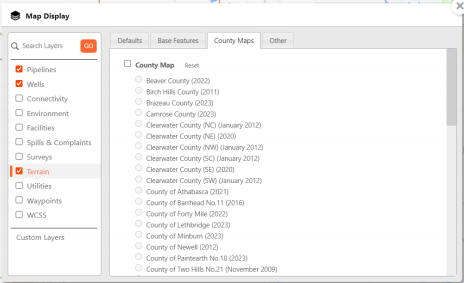
- All the County maps available will be listed. Select the County Map checkbox to automatically display the closest imagery to the current map location.
- Click the
 exit icon in the top-right corner to exit the Map Display menu.